Plan and publish
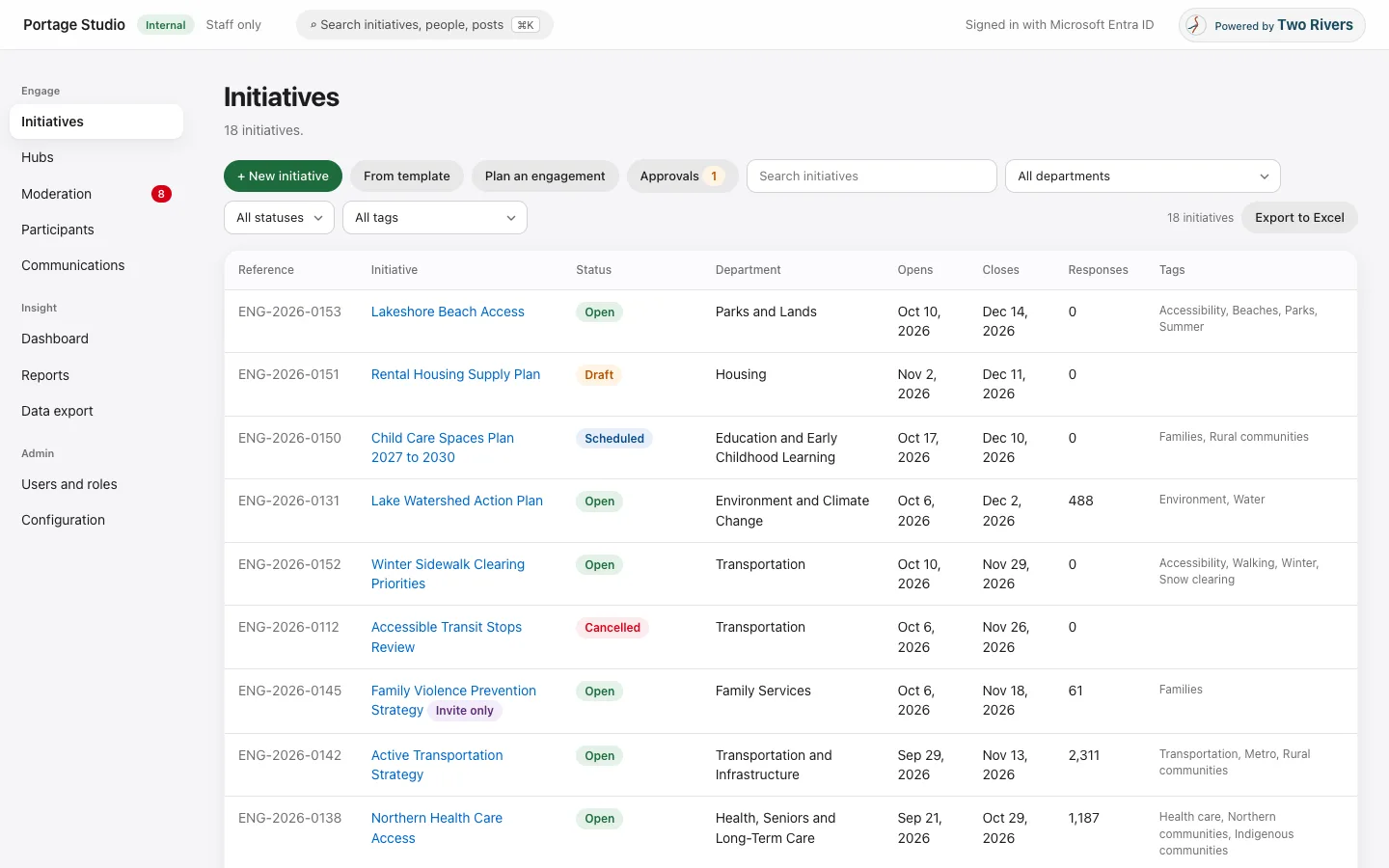
Review an initiative’s dates, department, templates and approval state in Portage Studio. Ask to follow a draft through approval and publication.
 Two Rivers DigitalContact usContact
Public engagement for government
For governments and public bodies across Canada
Implementation
Quoted to your scope
Run it in your Microsoft tenant. Configure Canadian hosting and English and French delivery for your program.
Start with your engagement site. Add what your team needs.
A bilingual, accessible site for surveys, polls, ideas, discussions and events, on your own domain and in your own Microsoft tenant.
Book a demoMicrosoft licences and optional services are quoted upfront.
 Microsoft Partner
 Built with Power Platform
Evaluate Portage
Portage by Two Rivers Digital brings public consultations and staff engagement work into Microsoft Power Platform. It fits municipalities, departments and public bodies that want to manage engagement records in their own Microsoft environment.
A simple one-off survey may need a smaller tool. Portage requires an organization to own its Microsoft environment, content, moderation decisions and launch acceptance. It is separate from COMFY youth services and ProtoGrants grant administration. Read our guide to choosing a public engagement platform.
Review an initiative’s dates, department, templates and approval state in Portage Studio. Ask to follow a draft through approval and publication.
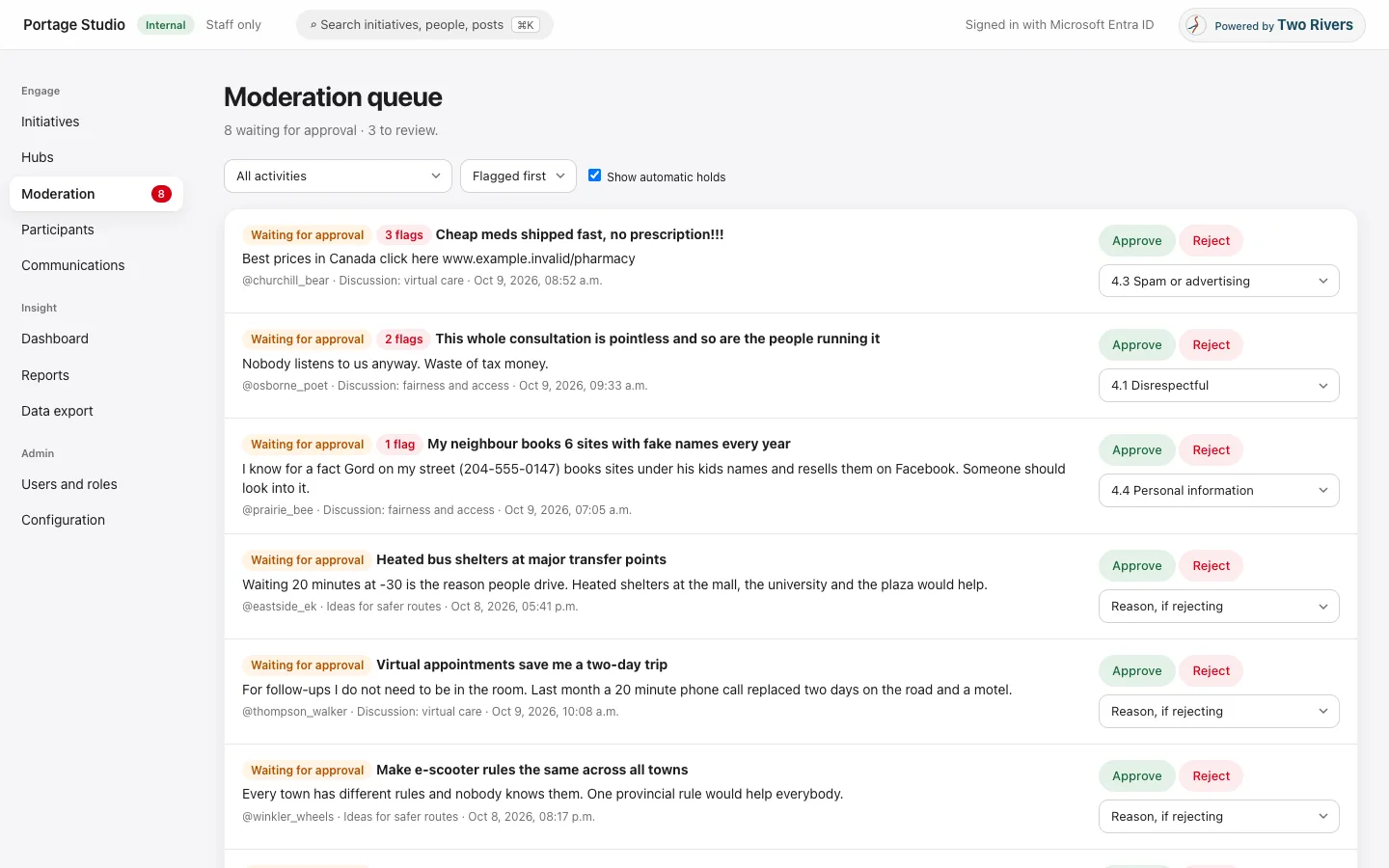
Inspect the moderation queue, flagged content, holds and decision reasons. Test who can release a held contribution and what the record retains.
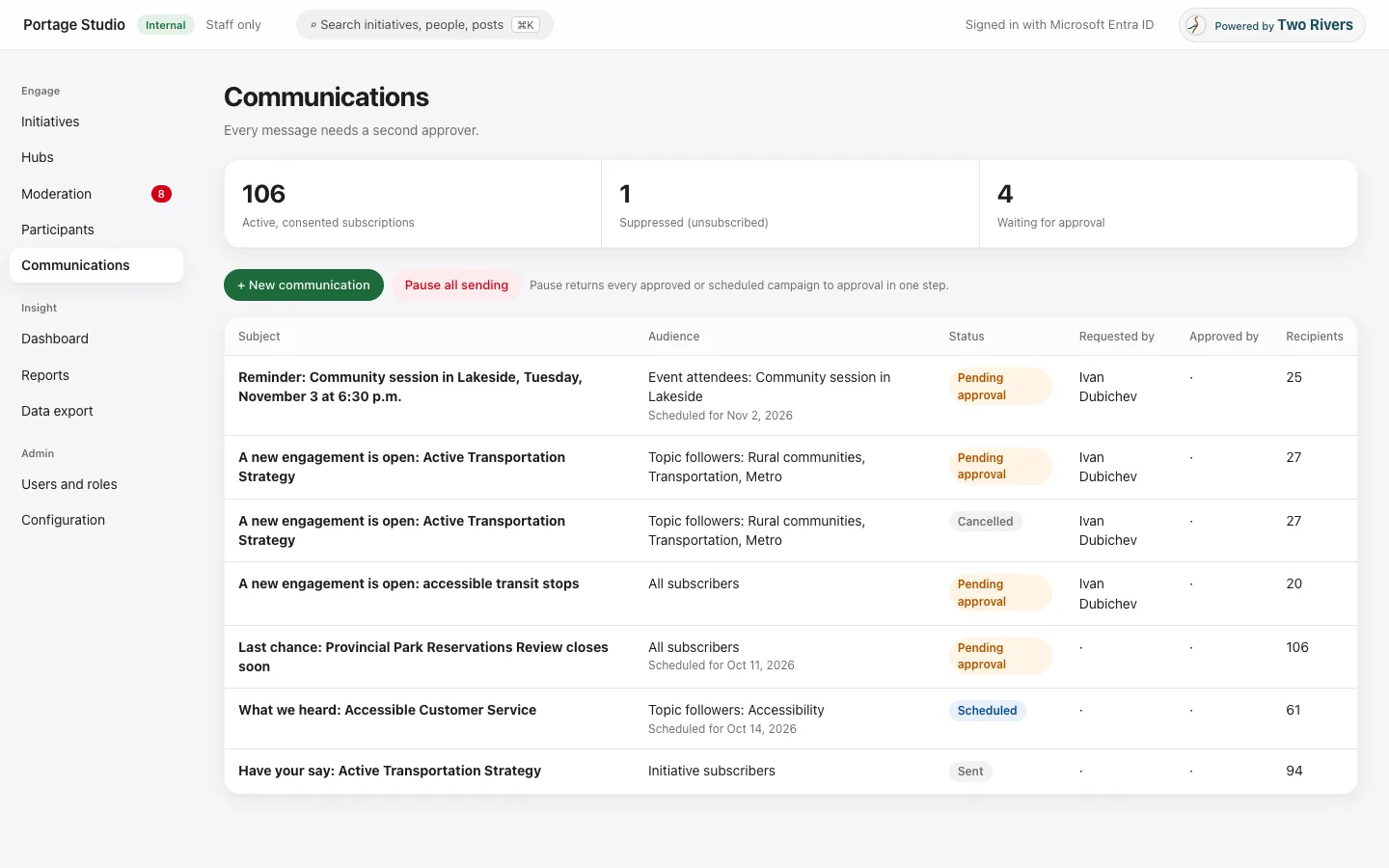
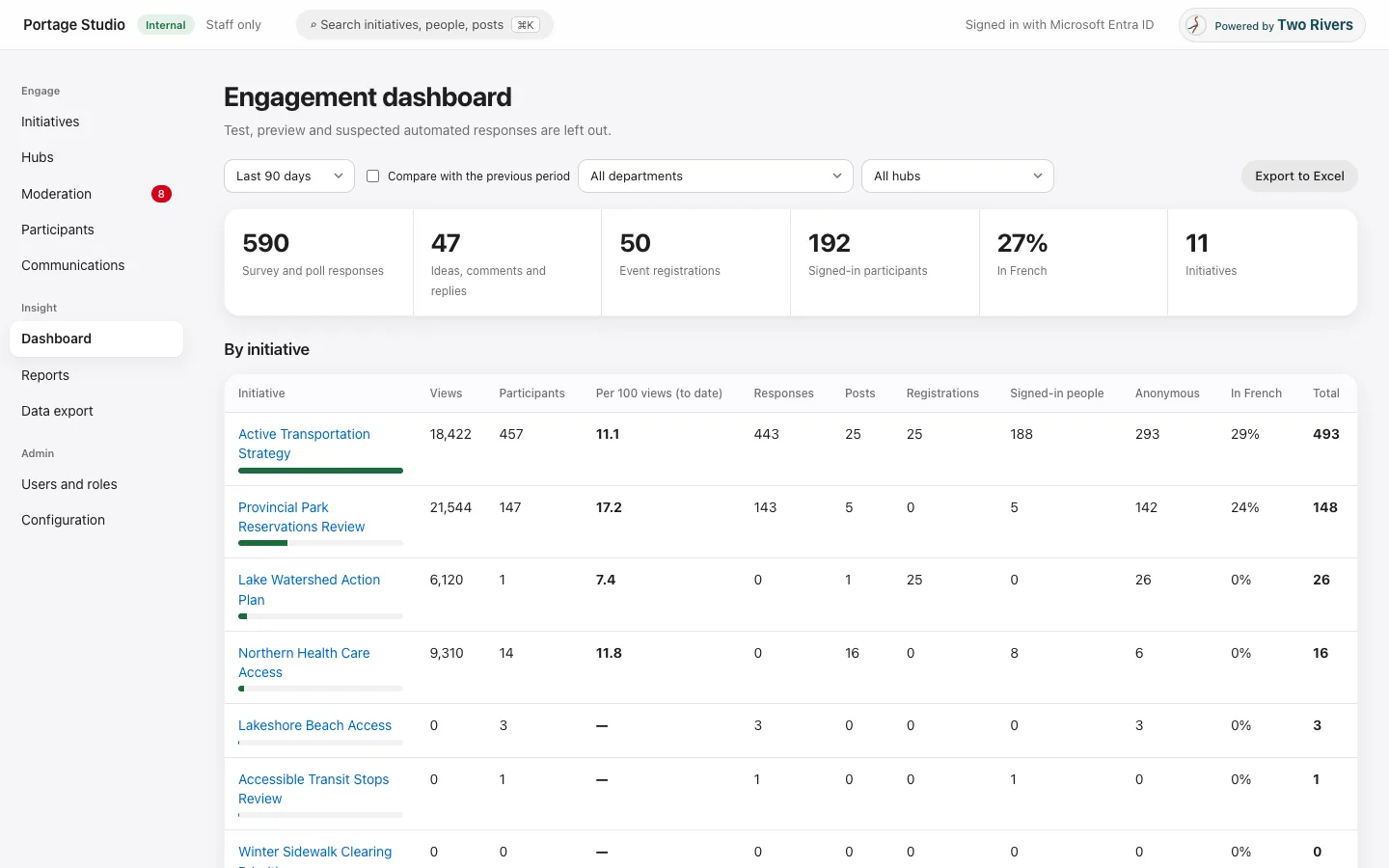
Review consented subscribers, suppression and second-person approval. Follow the engagement into results and exports using fictional participation data.
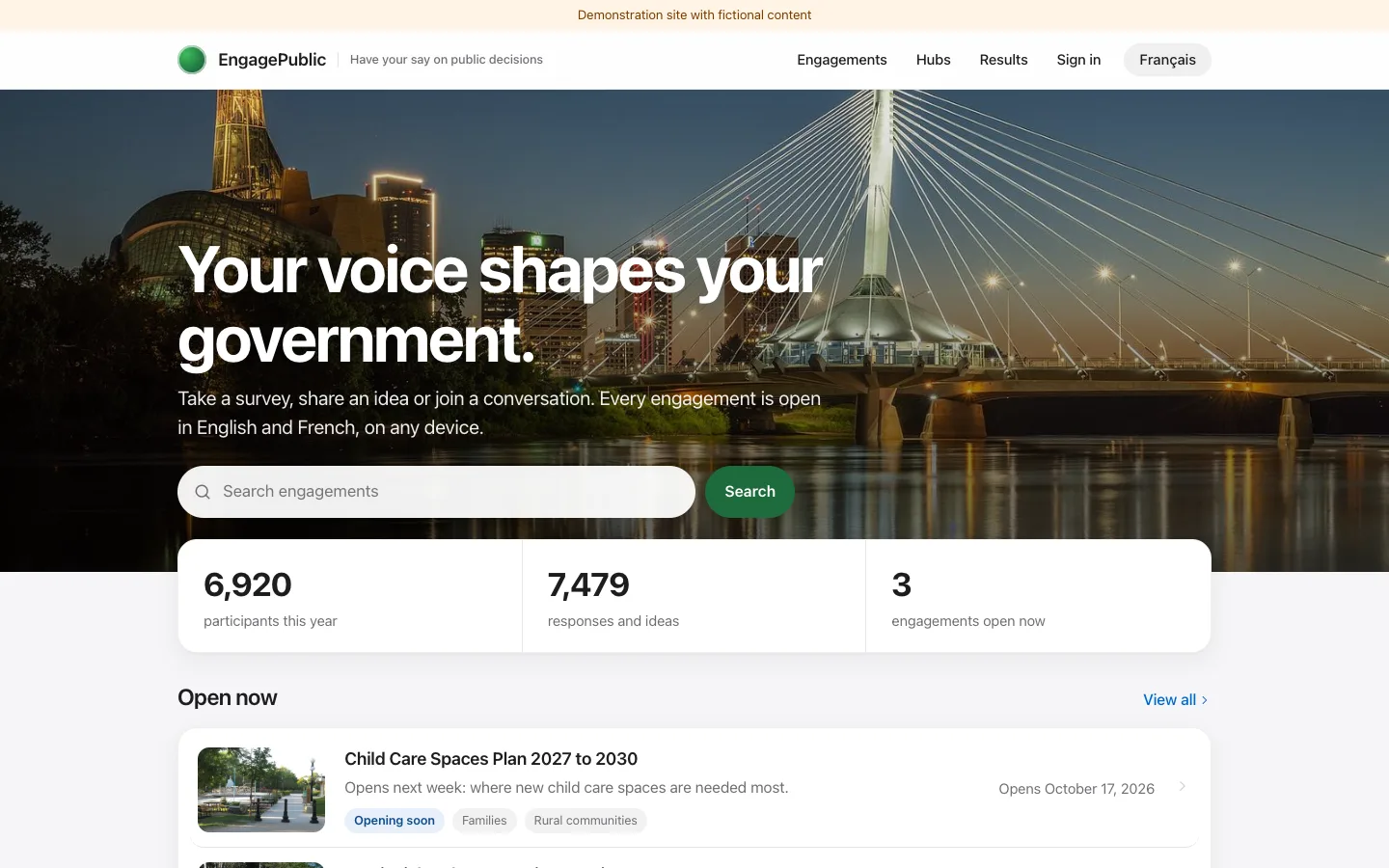
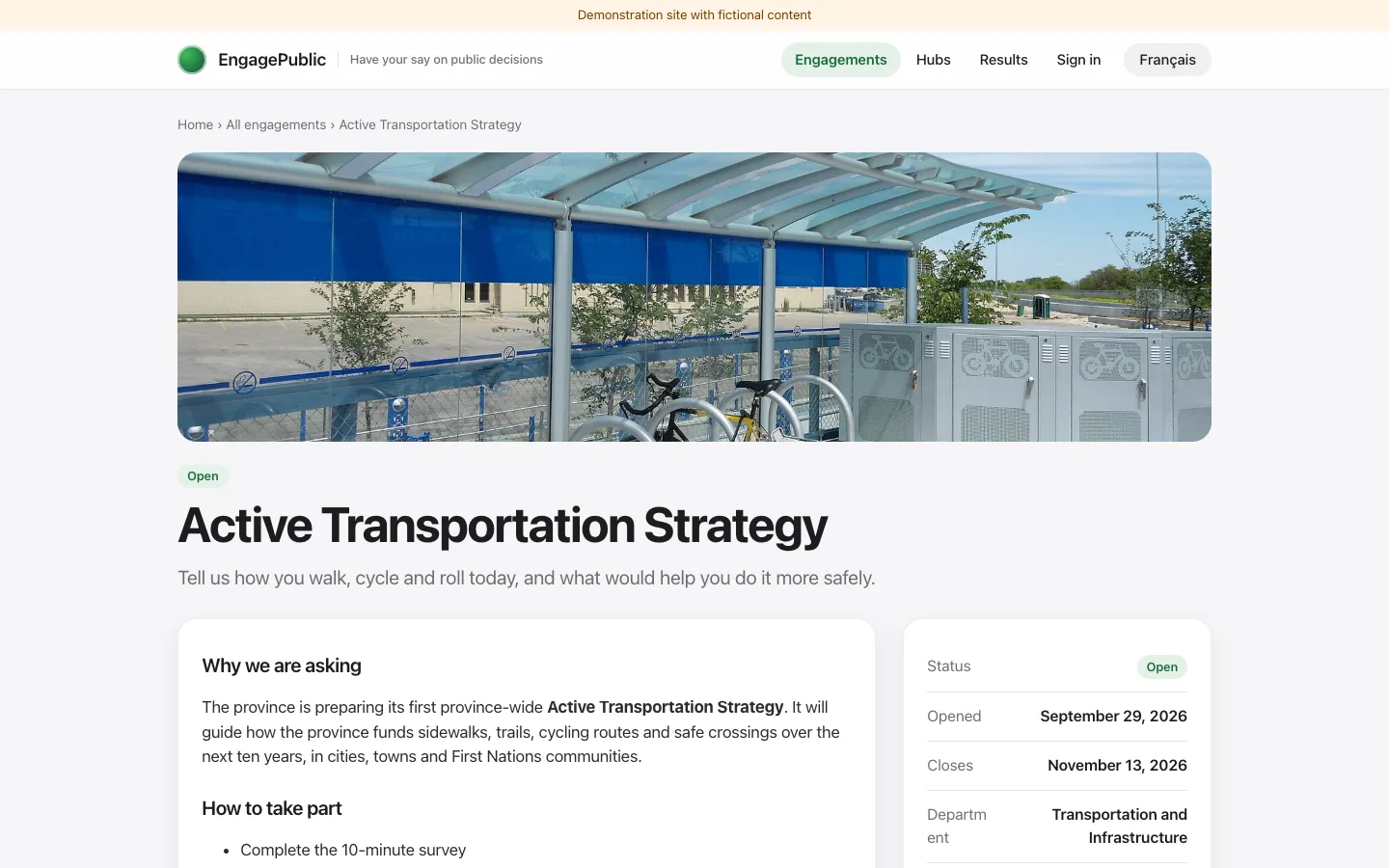
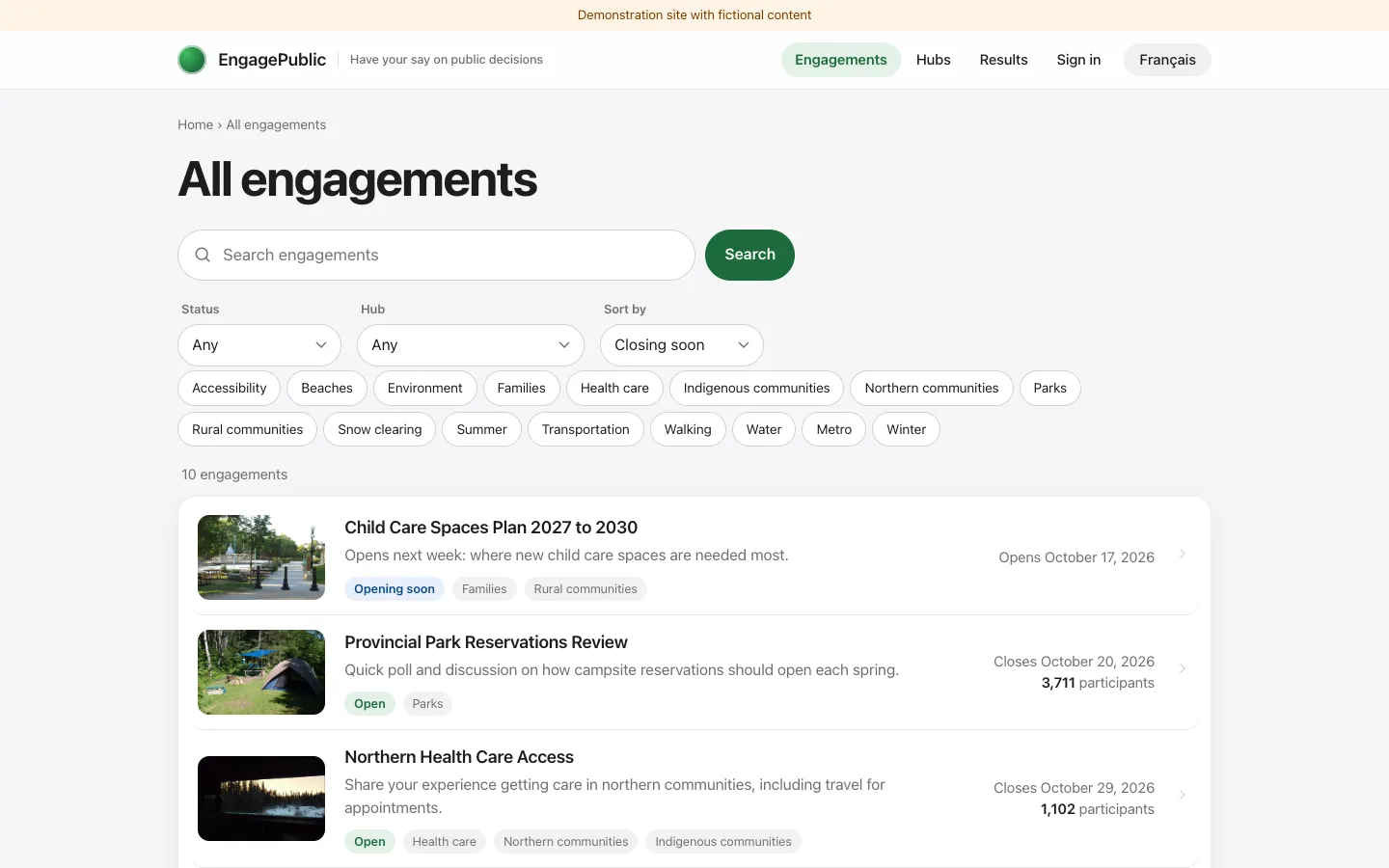
These screens show Portage workflows using fictional participation data. The hosted demonstration and packaged release can differ. Confirm the release and acceptance evidence for the workflow you intend to deploy.
Portage can bring research panels, survey invitations and results into one Power Platform workspace. In the tested Portage environment, staff worked with a fictional 10,000-member panel, drew a balanced sample, managed invitations and quotas, and reviewed cross-tabulated results.
Survey research workflows demonstrated in that environment include branching, answer piping, randomization, calculations and quotas. Discuss a research workflow with the Portage team and confirm which capabilities are included in the release and implementation proposed for your program.
Review Portage on Microsoft Marketplace for the managed solution and licensing prerequisites.
The installation guide documents a managed Dataverse solution, staff roles and Portage Studio. You need a licensed Dataverse environment, a Power Platform administrator and staff Power Apps entitlements.
The public experience requires a dedicated, standard-model Power Pages site in the same environment, with appropriate capacity. The portal installer replaces that site’s home page, header and footer. Configure and test it privately before launch.
Your organization supplies approved English and French content, engagement rules, identity requirements and acceptance criteria. Migration is a separate agreed task: inventory sources, map fields, confirm permissions and retention, reconcile counts, then approve cutover. Historical consent must be checked before imported contacts receive messages.
Microsoft licences and capacity are separate from product licensing. Implementation, migration, integrations, training and optional support have their own agreed scope. A Microsoft 365 subscription alone does not establish all required entitlements.
Staff roles separate administration, project ownership, moderation, communications approval, analysis and read-only work. Participant sign-in and Exchange Online email require configuration for your environment.
Choose the Dataverse region, Power Pages setup and connected services to meet your hosting requirements. Canadian hosting depends on that deployment configuration. Your organization approves privacy notices, consent, retention and access; Two Rivers’ delivery responsibilities are set in the implementation agreement.
Review the privacy policy, product terms and support route. Platform capabilities and demonstration screens do not establish certification, legal compliance or production readiness.
Portage is public engagement software, a citizen engagement portal, for Canadian governments and public bodies, built by Two Rivers Digital on Microsoft Power Platform. Staff run surveys, polls, idea boards, discussions and events in their own Microsoft tenant, with moderation, consented email updates and results, in English and French.
Updated
Portage runs in your own Microsoft tenant on Dataverse and Power Pages, in the region you choose, including Microsoft's Canada region. Public pages, forms and email updates are delivered in English and French. Confirm the region of each connected service. See security and hosting in Canada.
Yes. Staff work in Portage Studio, a Power Platform app, and sign in with their Microsoft Entra ID accounts under your multifactor and conditional access policies. Participant sign-in is configured for your environment. See staff single sign-on with Entra ID.
Surveys, polls, idea boards, discussions and events, with a moderation queue, keyword holds, spam and bot flags, and a reason on every moderation decision. Results go to live dashboards, Excel, CSV and JSON exports and Power BI. See all Portage features.
Updates go only to people who chose to follow, through your own Exchange Online. Each subscriber's consent is recorded, opted-out addresses are suppressed, every message carries one-click unsubscribe, and a second person can be required to approve a send. See CASL consent and unsubscribe.
Yes. Dataverse holds the records, Power Apps runs Portage Studio for staff, Power Pages serves the public site and Power BI reports on the same data.
Portage is built to WCAG 2.1 AA. Automated axe-core tests in October 2026 found 0 violations on the public site and 31 Portage Studio screens, and Microsoft publishes accessibility conformance reports for Power Pages. Test your configured site and content against WCAG 2.1 AA before launch. See the accessibility statement.
Yes, as an agreed migration task. Past engagements, participants and results are mapped, reconciled count by count and approved before cutover. Historical consent is checked before imported contacts receive messages. See replacing a public engagement portal.
Bring its audience, dates, participation methods, approval path, language requirements, current platform and Microsoft environment. We will review the relevant workflow and identify configuration, integration and migration work.