Youth case management, from first contact to follow-up.
COMFY connects client records, intake, counselling referrals, appointments and mobile response in your organisation’s Microsoft Dataverse environment. It is built for teams coordinating several youth services around the same young person. Comparing vendors? Read our guide to case management software for youth programs.
A fit worth exploring
Canadian youth-service nonprofits, community agencies and multi-program teams that need to carry intake context into counselling, outreach or short-stay services. Especially useful to evaluate when staff re-enter the same details or lose context between service queues.
Your team needs a Microsoft environment, an administrator and people who can own access rules, service policies and deployment acceptance.
When another approach may fit better
If your main need is fundraising, donor marketing, a hospital EHR or a fully hosted service with no Microsoft administration, start with a different shortlist. Offline working, automated dispatch, clinical decision support and specific external integrations require separate evidence and scope.
COMFY does not provide emergency response or clinical advice. Staff remain responsible for decisions and follow-through.
See the work, then test your version
Three workflows to bring to a demonstration.
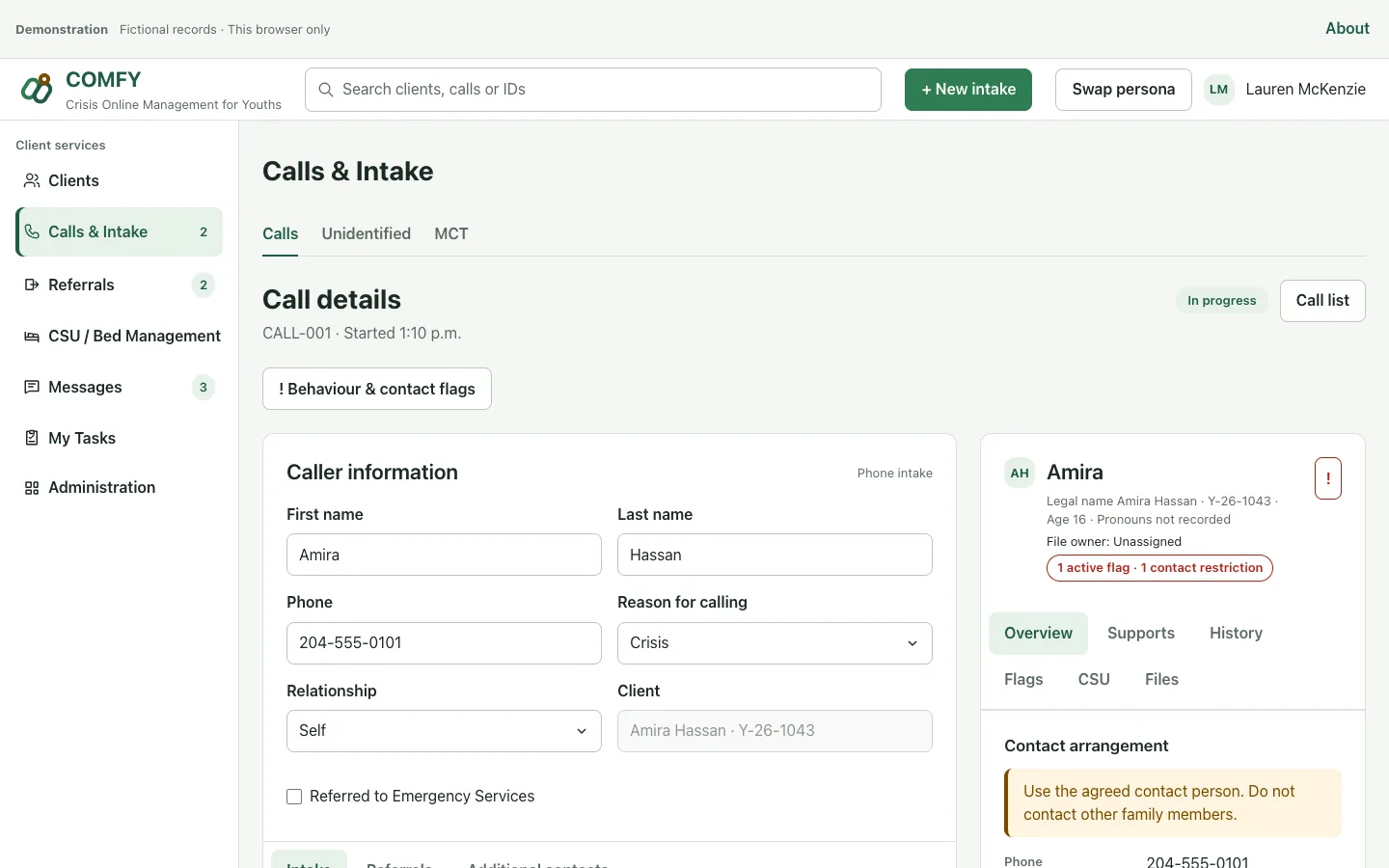
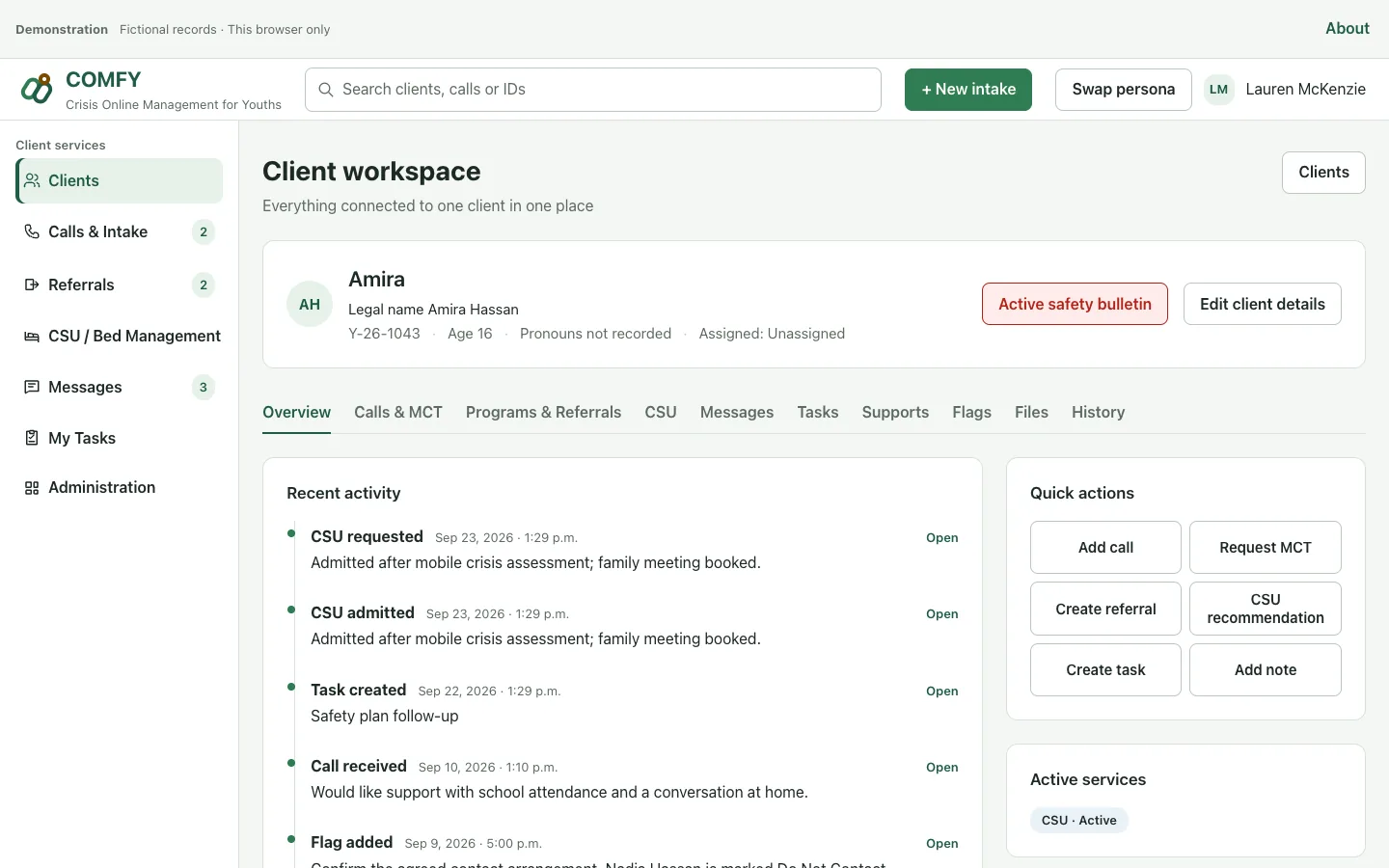
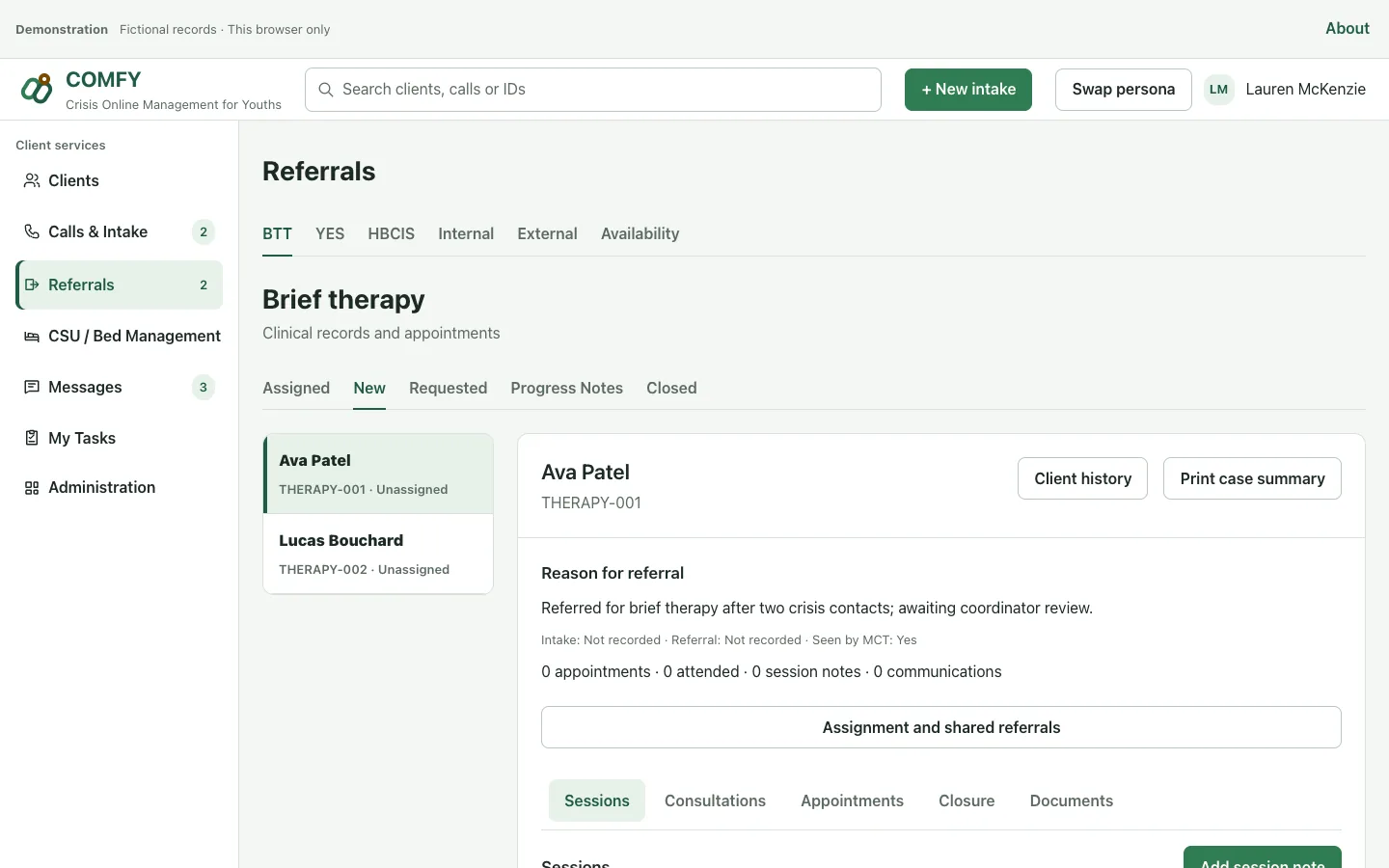
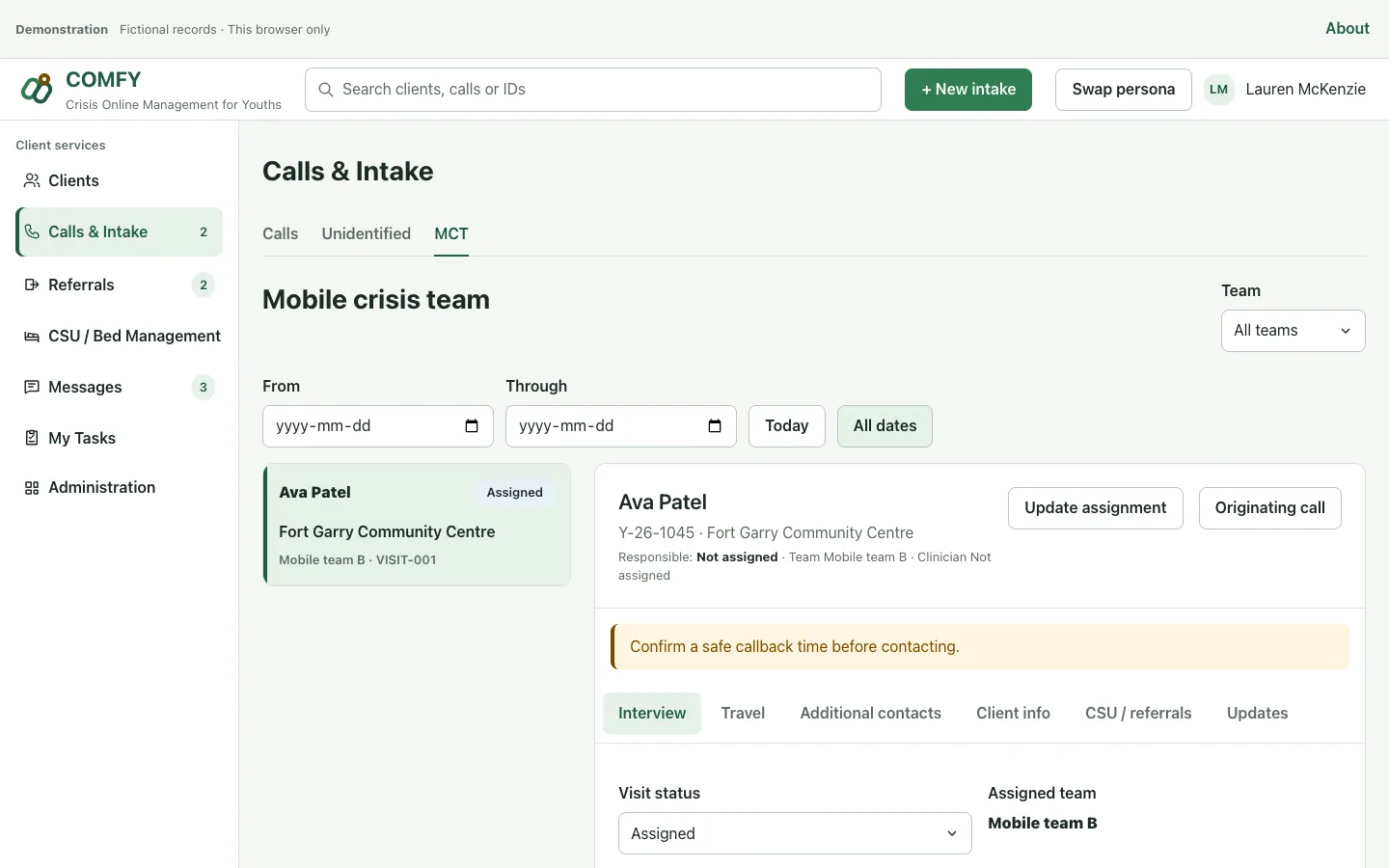
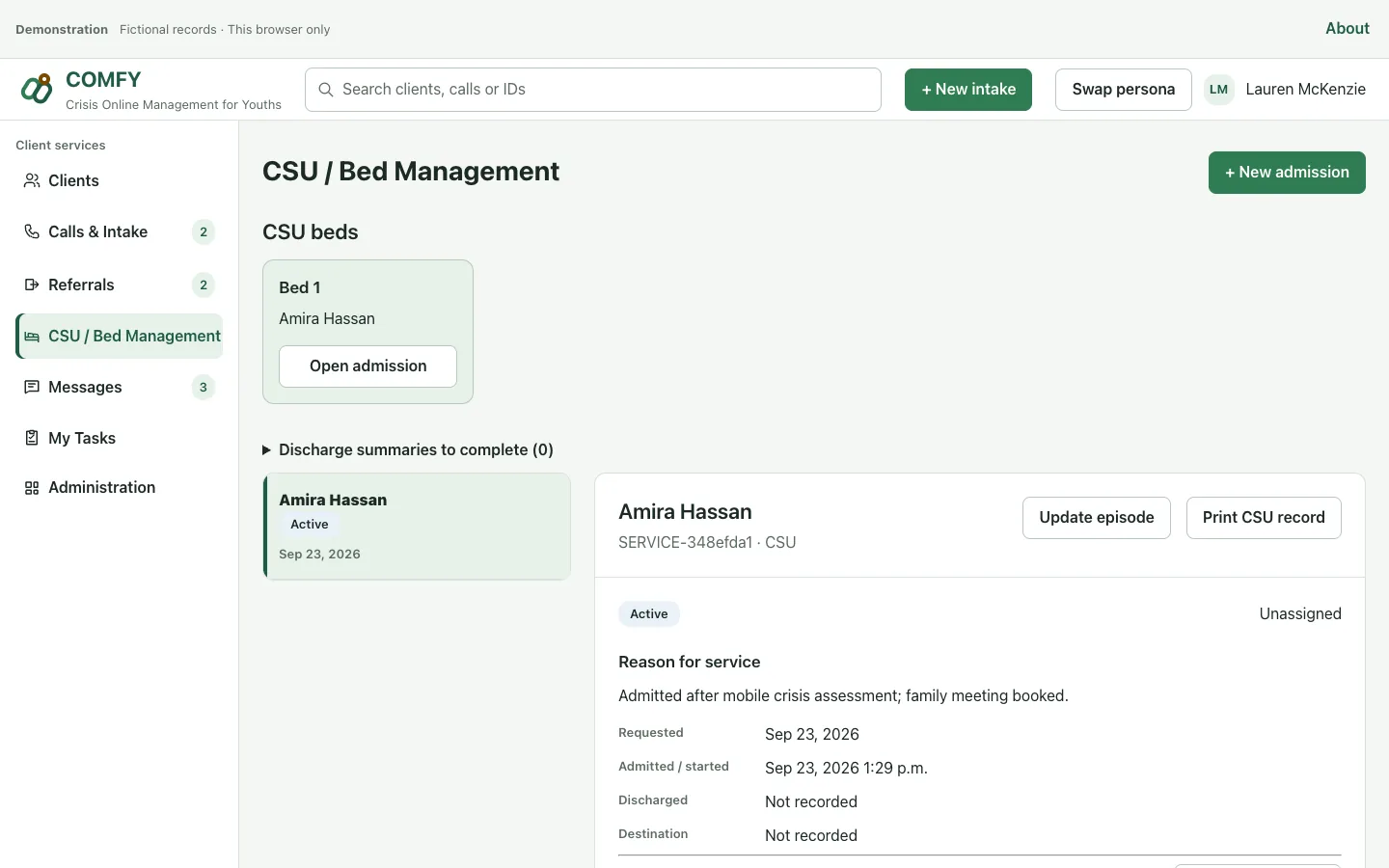
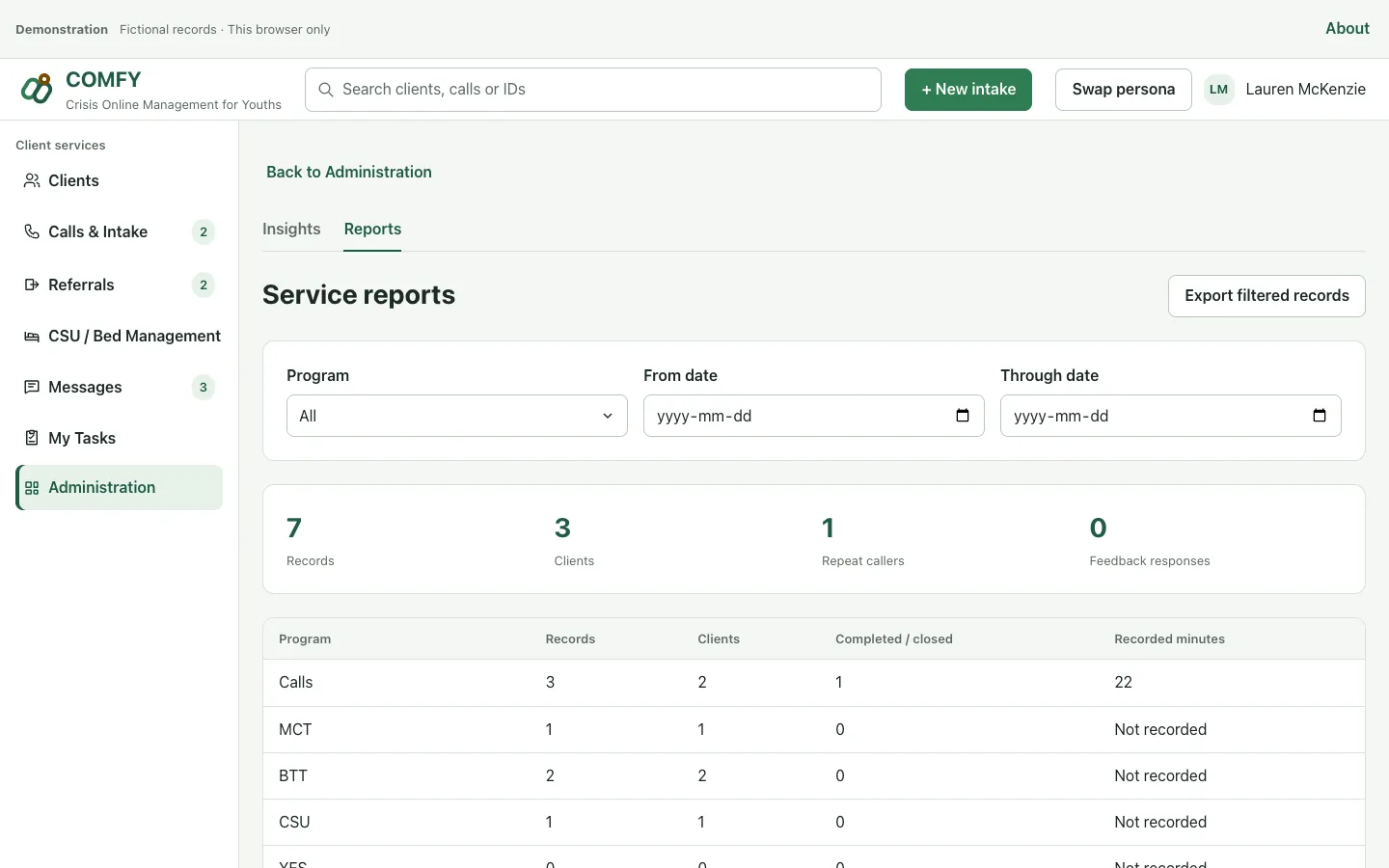
The product screenshots above use fictional records. These examples show the application’s service-coordination workflows; they are not evidence of customer outcomes.
1. First contact to the next service
Find the client, review safe-contact instructions, record the intake and connect the relevant referral or mobile visit. Keep the originating call available for the next worker.
Ask to see: one fictional intake followed through to its linked referral or visit.
2. Referral to brief therapy
Review the referral, coordinate appointments and keep session notes with the client’s service record. Agree which calendar is authoritative and how scheduling conflicts will be handled.
Ask to see: a referral, its appointment and the resulting session record.
3. Mobile visit to program follow-up
Review the linked intake, assign a team, record visit and travel details, and connect the next service. Filter service activity by program and date for review and export.
Ask to see: a visit, its handoff and the underlying records in a filtered report.
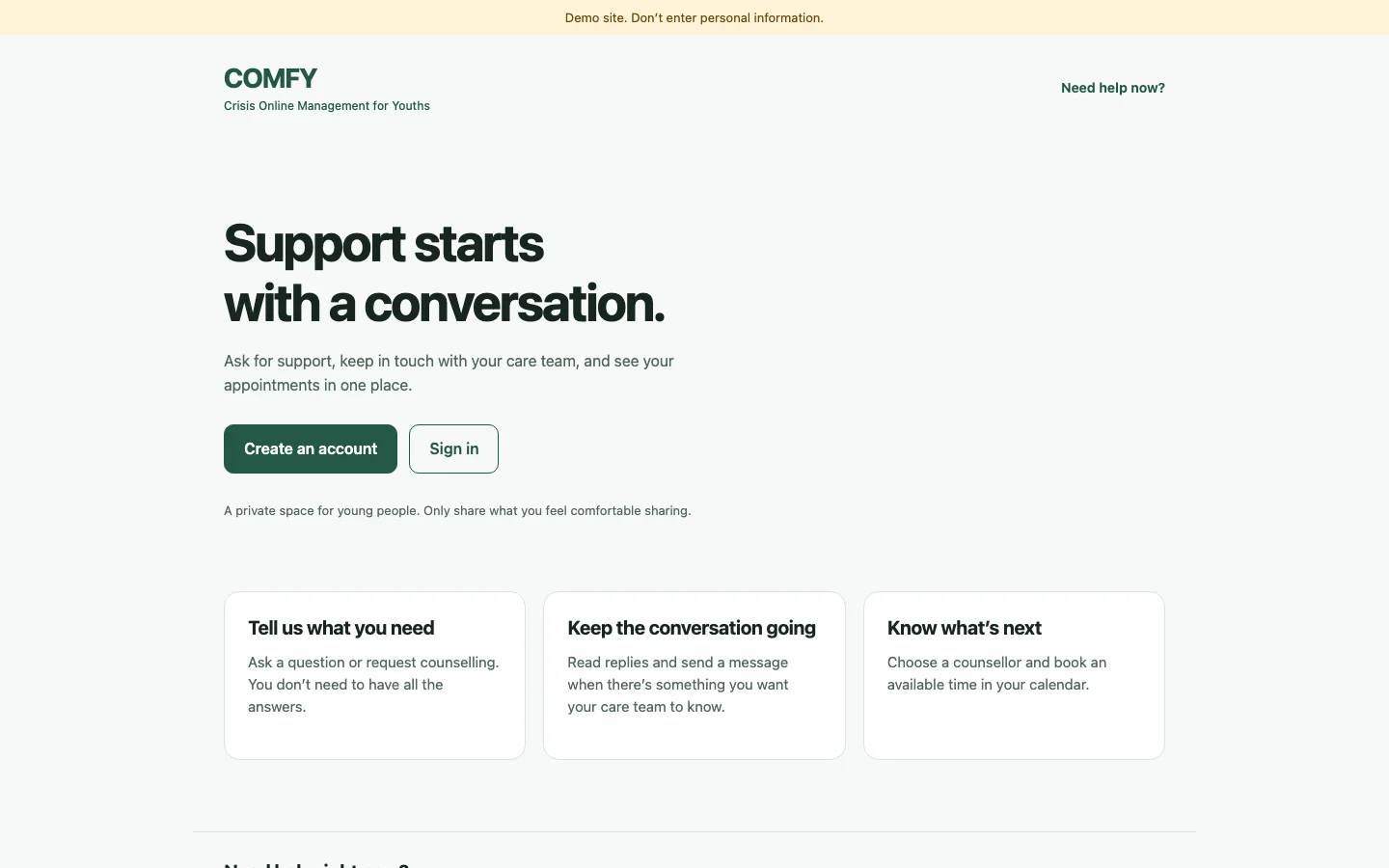
An optional Power Pages youth portal supports signed-in requests, messages and appointments. Review it with two evaluation accounts to check record isolation. Explore the youth demo, using fictional information only. It is not monitored as a care service.
The hosted demo evolves separately from the published package. Confirm the release and included features in your evaluation; newer demo features are not automatically included in an installed release. Installation and evaluation guide (PDF).
Plan the whole cost
Product, implementation, Microsoft and support.
COMFY product
Acquisition and use of the package are governed by the Microsoft listing and COMFY licence terms. An authorised administrator can install independently; a Two Rivers implementation engagement is optional.
Implementation
The builder identifies the workflows you want to discuss. Implementation is quoted against an agreed scope, including configuration and acceptance criteria. It is separate from software licensing.
Microsoft licences and capacity
Budget separately for the applicable staff Power Apps or Dynamics 365 entitlements, Dataverse capacity, and optional Power Pages usage. Microsoft subscriptions can recur. Your users, portal usage, storage and existing entitlements determine the quote. Microsoft licensing guidance.
Optional services and support
Migration, training, maintenance and support need an agreed scope and price. Response times and service levels apply only under a written agreement. Confirm integration setup, taxes, third-party charges and ongoing costs in the quote.
Start with a licensed Dataverse environment and an authorised Power Platform administrator. The managed solution installs the staff app, security roles and Setup Center without client records. Staff need the appropriate Microsoft entitlement and assigned access.
The optional youth portal needs a dedicated standard-data-model Power Pages site in the same environment. Its installer replaces that site’s pages and table permissions. Use a dedicated site, not an existing shared service portal. Your administrator configures identity providers, registration and access.
Plug-and-play integrations
Email, HR and call centre integration are included. COMFY’s data model is ready to connect through native Microsoft Power Platform adapters. Setup uses the supported connector for your system, with authorised access, field mapping and the applicable licences. Explore the platform’s connectors.
Your organisation
Own the source data, consent and retention decisions, data cleanup, user list, access approvals and acceptance testing. Name the people who will approve workflows, migration results and go-live.
An agreed implementation engagement
Specify configuration, migration mappings and volumes, attachments, integrations, test imports, reconciliation, training and handoff. Identify who does each task, what is excluded and how exceptions are resolved before quoting. Installation alone does not migrate existing records.
Before real records are used, test limited staff roles and separate youth accounts, verify backups and retention, rehearse migration and approve service procedures. The four-page installation guide provides a fictional-data evaluation sequence.
Access, hosting and privacy responsibilities.
Who can see records?
The package defines Care Coordinator, Field Worker and Review Reader roles. Field-worker access uses record ownership or explicit sharing. The youth portal uses contact-scoped personal records and grants no anonymous access to COMFY data. Validate the actual roles and identity policies in your environment.
Where does it run?
Customer records are stored in the customer-selected Microsoft environment. Canadian hosting is a deployment choice, not an automatic property of COMFY. Confirm the region and every connected service. Installation does not automatically grant Two Rivers Digital access to your records.
Your organisation controls consent, safeguarding, access, retention, deletion and privacy requests. Any support access or external integration needs separate authorisation and review. Installing in your own tenant does not establish legal compliance. Read the privacy policy and terms and operating boundaries.
COMFY is listed on Microsoft Marketplace, verified October 20, 2026. Marketplace publication does not certify your organisation’s privacy compliance, clinical practice or deployment readiness.
Which COMFY? Crisis Online Management for Youths is published by Two Rivers Digital. It is unrelated to ComfyUI and other similarly named products. COMFY has its own package and environment; our separate EPI implementation is not evidence of COMFY features or customer results.
What is COMFY?
COMFY (Crisis Online Management for Youths) is youth case management software for Canadian youth-service organizations, built by Two Rivers Digital on Microsoft Power Platform. It connects client records, intake, counselling referrals, appointments and mobile response in the organization's own Dataverse environment, with an optional youth portal.
COMFY facts as of October 2026
Listed on Microsoft Marketplace (verified October 20, 2026).
Runs in your Microsoft Dataverse environment. Canadian hosting is a deployment choice.
Staff roles: Care Coordinator, Field Worker and Review Reader.
Optional Power Pages youth portal for signed-in requests, messages and appointments.
Does not provide emergency response or clinical advice. Unrelated to ComfyUI.
Built in Winnipeg by Two Rivers Digital, an Indigenous- and women-owned company.
Updated
Bring one workflow
Decide whether it fits your team.
Tell us your programs, staff count, current system and the handoff you want to improve. We can walk through a fictional case and identify the package features, configuration and separate work your organisation would need.

 Microsoft Partner
 Built with Power Platform